
Build a Job-Winning Resume or CV
in Minutes
Create a polished, professional resume or CV with our easy-to-use builder. Smart guidance, ATS-friendly templates, and real-time previews ensure you stand out.
Templates That Get You Hired
Professionally designed, ATS-friendly resume and CV templates trusted by thousands of job seekers.
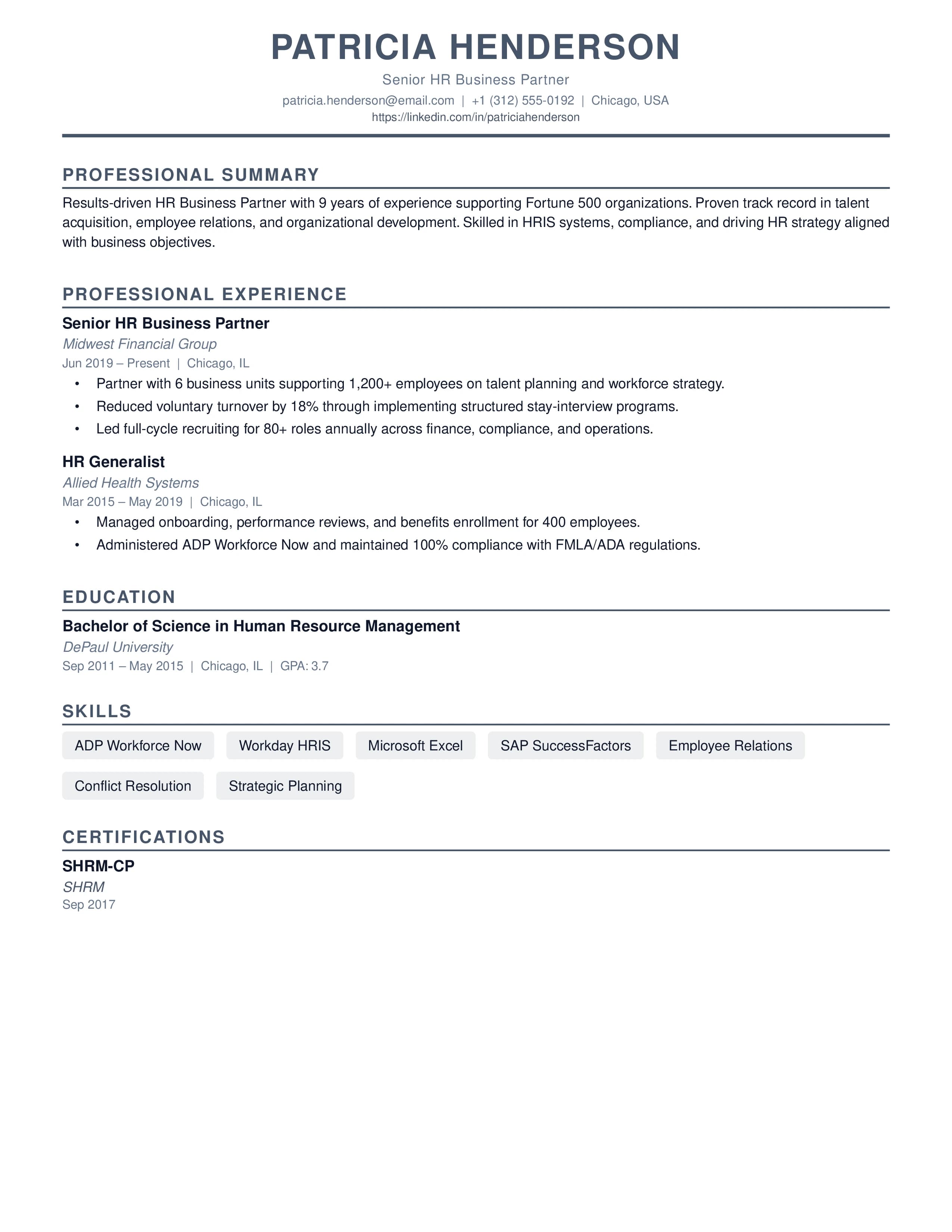
Classic ATS-Friendly
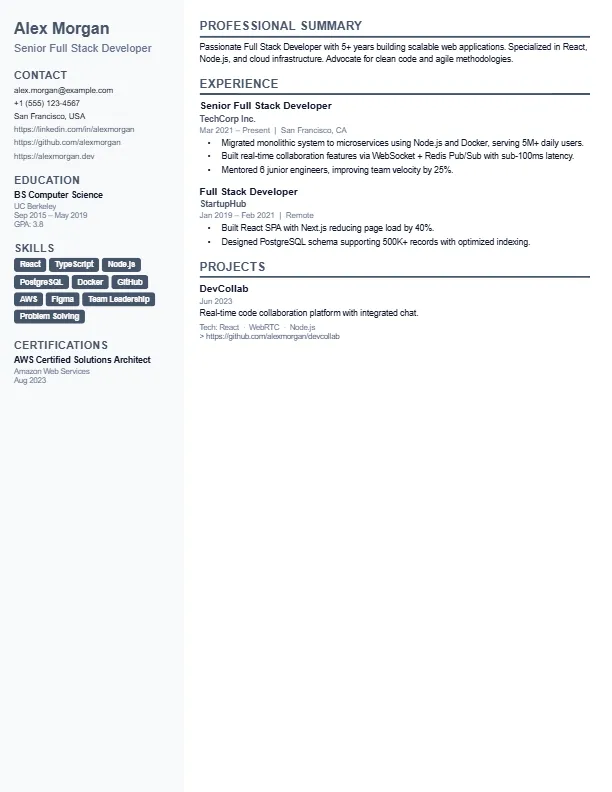
Modern Two-Column
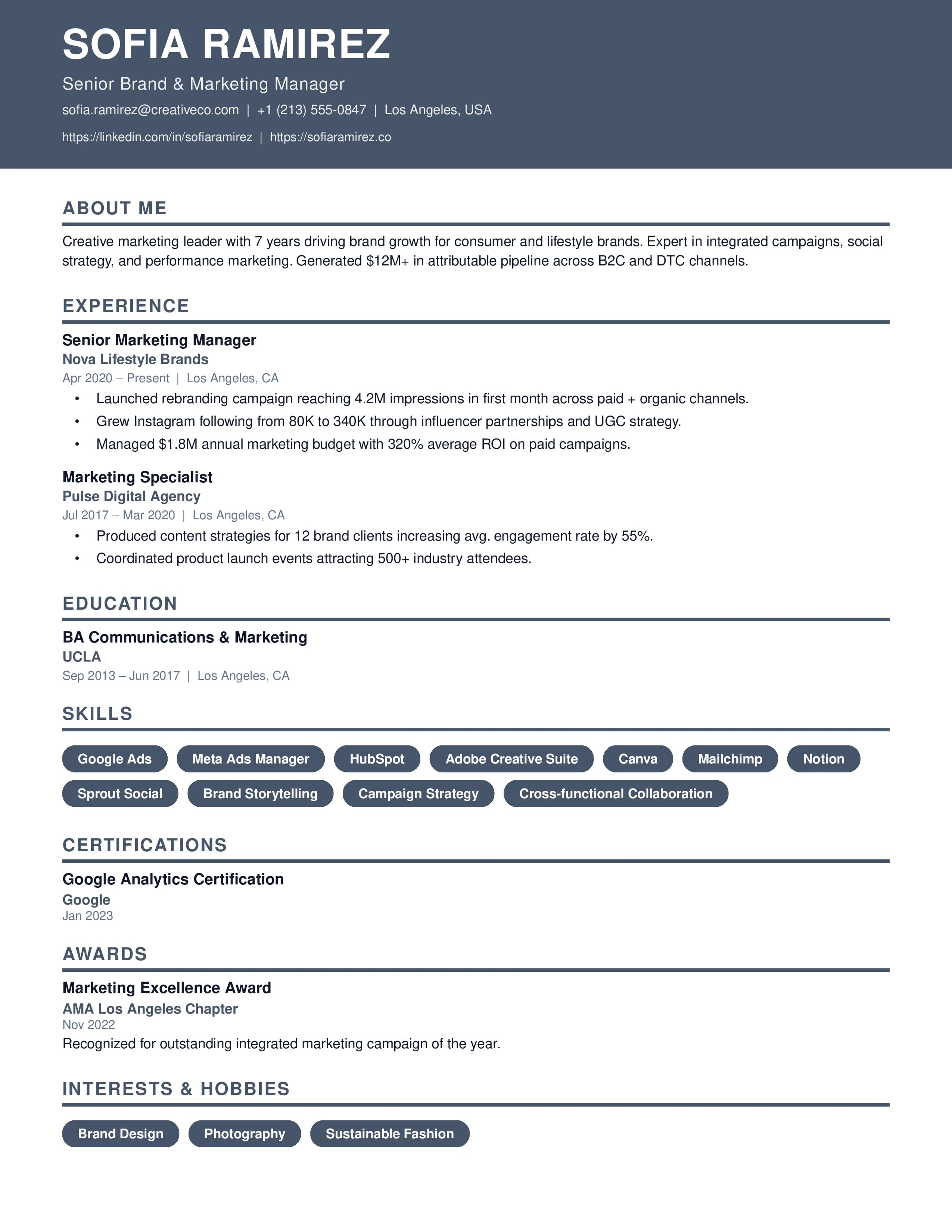
Bold Creative Header
Features
Powerful tools designed to help you build a professional resume or CV that gets noticed by recruiters.
Smart Guidance
Get expert tips and guidance for each section as you build, ensuring your resume or CV follows best practices.
Professional Templates
Choose from a collection of clean, modern, and ATS-friendly resume and cv templates designed by career experts.
Real-Time Preview
See changes instantly as you type. Switch templates on the fly without losing any data.
Instant PDF Export
Download your document as a high-quality, print-ready PDF with a single click. No watermarks.
Manage Resumes & CVs
Create and manage multiple versions of your resume or CV tailored for different job applications.
Secure & Private
Your data is encrypted and stored securely. We respect your privacy and never sell your information.
Share Your Resume
Generate a public link from your dashboard and share your resume with recruiters, hiring managers, or anyone — no account needed to view.
Hide / Show Icons
Toggle contact and social icons on or off with a single click — keep your resume clean and tailored for every application.
Beyond Just a
CV Maker or Resume Builder
We designed FindBestResume to be the most powerful career tool in your arsenal. We combine modern design principles with recruiter insights to help you land more interviews.
ATS Optimization Mastery
Every professional resume template we build is rigorously tested to ensure 100% compatibility with top Applicant Tracking Systems used by Fortune 500 companies.
Recruiter-Approved Design
Our CV layouts are crafted by senior hiring managers to ensure your most important career achievements are what recruiters see first, in under 6 seconds.
Zero Friction, Max Impact
No credit cards, no watermarks, and no bait-and-switch. Just high-quality, professional resumes and CVs ready for your next big career move.
Resume vs CV — What's the Difference?
Choosing between a resume and a CV is one of the most common questions job seekers face. Here is the definitive guide.
Best for most job applications
- 1–2 pages, highly targeted to a specific role
- Standard in the USA, Canada, and Australia
- Focuses on achievements and relevant experience
- Tailored per application with job-specific keywords
- Ideal for corporate, tech, and commercial roles
Required for academic & international roles
- Comprehensive — can be 5–10+ pages for academics
- Standard in the UK, Europe, Middle East, and Asia
- Includes publications, research, grants, and awards
- Complete career record, not tailored per role
- Essential for academic, research, and medical positions
FindBestResume works for both. Our builder and templates support single-page resumes and multi-page CVs with the same professional quality. You control the length — we provide the structure.
What is an ATS and Why Does It Matter?
An Applicant Tracking System (ATS) is software used by over 98% of Fortune 500 companies to automatically screen, rank, and filter job applications before a human recruiter ever reads them. If your resume is not formatted correctly, it can be rejected by the ATS — even if you are perfectly qualified.
ATS systems parse your resume into structured data, looking for specific keywords, section headings, and formatting signals. Fancy designs with tables, graphics, headers/footers, and unconventional fonts routinely cause parsing failures that result in automatic rejection.
How to make your resume ATS-friendly:
- ✓Use standard section headings: Experience, Education, Skills
- ✓Avoid tables, text boxes, and multi-column layouts
- ✓Use standard fonts — no decorative or handwritten typefaces
- ✓Include keywords from the job description naturally
- ✓Submit as PDF (not DOCX unless specified)
- ✓No images, charts, or graphics in the main body
Frequently Asked Questions
Everything you need to know about our professional CV maker and online resume builder.
Is FindBestResume really a free online resume builder?
What makes a resume or CV ATS-friendly?
Should I use a Resume or a CV?
How can I download my resume as a PDF?
Can I manage multiple resumes for different job applications?
How It Works
Build your professional resume or CV in three simple steps.
Enter Your Details
Fill in your experience, education, and skills using our easy form.
Choose Design
Select a professional template that matches your style and industry.
Download PDF
Export your polished resume or CV instantly and start applying.
Ready to Launch Your Career?
Join thousands of professionals who have built their resumes and CVs with our free tool. No credit card required.